Views on a worksheet

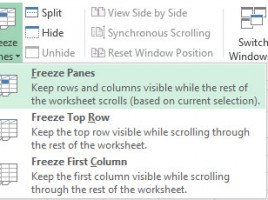
Depending on what we want to acomplish it is possible to use several different views on the worksheet. These views make it easier to get into large tables or to adjust the appearance of the work environment in accordance with our own desires. In this way, Excel can be configured to resemble more like a data entry form or print preparation software. Personally, when preparing to print a document, I often use the Page Layout view, and in the text that follows, you will see and why!

Ribbons and shortcuts

Excel 2007 brought a new work environment based on ribbons. This novelty was annoyed by many experienced users (who were able to set shortcuts to the most commonly used options) and delighted new users (who saw some options they did not even suspect that existed). In order to “calm down passions,” Office programmers first added the Quick Access Toolbar and the ability to adjust the toolbar content (Office 2010).

Worksheet manipulation

The data we enter and process is often found in multiple spreadsheets. Depending on the version of Excel you’re using, after starting the program, each new document has one or more worksheets present. The number of worksheets appearing in each new document can be set in general options, and users can add, delete, move, change color or name of the worksheet on their own. The redistribution of the table on the worksheets can help you get a lot more organized.

Row/column shortcuts

When working with tables, there is often a need to manipulate rows and columns, and it is adding, deleting, hiding, or displaying hidden rows or columns. Manipulation is usually done by selecting some of the options from the Home toolbar, but there are several shortcuts that can help us perform these operations much faster.

Shortcuts for moving and selection

Excel shortcuts for moving and selection are the ones you will use to a large extent in everyday work. You have no choice: when working with tables, these are most commonly performed operations, and if you apply shortcuts, they will make you considerably more productive. Productivity is a consequence of faster work, as most tasks can be done exclusively using the keyboard. Especially when you use a laptop, because when you are on the go, you may not have the favorite programmer’s pet at hand.