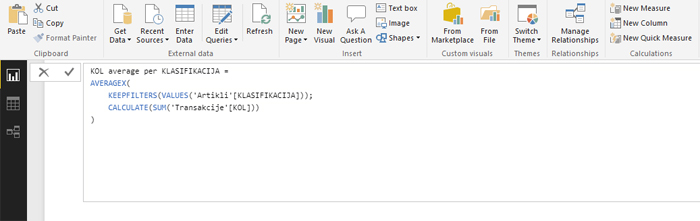
Quick measures
In the Home ribbon there are options for adding measures (New Measure) and calculated columns (New Column), and recent novelty is functionality that is used to add „quick measures“ (New Quick Measure). It allows beginners that do not have the experience of writing a DAX expressions to create measures by simply dragging names of the reporting dimensions into the predicted fields, after which application automatically generates formulas.
When you click the New Quick Measure button, a window will open where you first need to select the type of data aggregation. Then, depending on the selected option, necessary fields will appear. By dragging dimensions into the fields we give instructions to the application how to create a DAX expression, which is automatically executed after the completion of the entry and confirmation.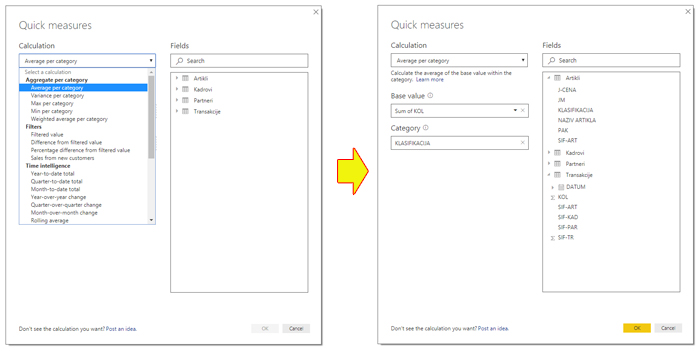
Once we have created a quick measure, it will appear in the panel on the right, along with other reporting dimensions. Power BI Desktop will show us the DAX expression that it has created, and we can still choose whether we will retain it or modify it further. The measure created in this way is used like all other measures.