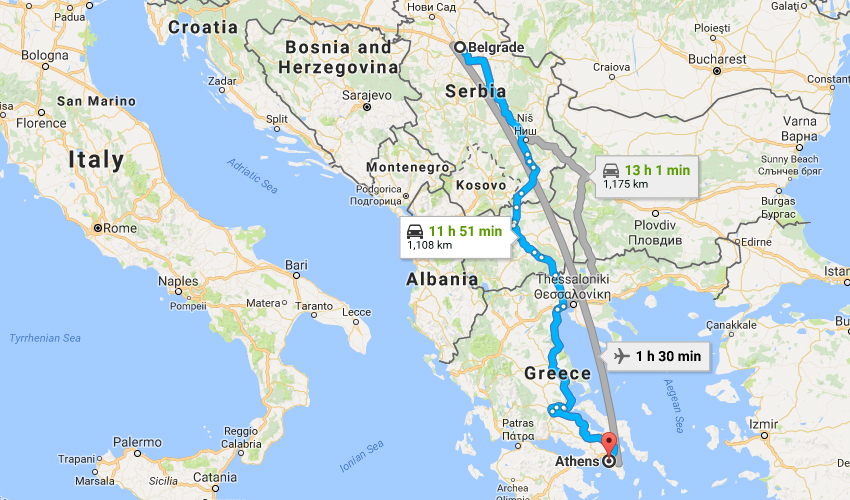
Calculating the distance
How to calculate distance between the two places on the map? The simplest way is by using the formula for calculating the haversine, which for the given coordinates returns the distance of the points on the sphere. However, this is the air distance. If you are planning to take off on the road, you are surely interested in getting from point A to point B by traffic. In the following text I will show you how to use Google Maps to calculate distance.
I found the haversine formula here, and you can find the formula for calculating the distances with a „little help“ of Google Maps at this link. By Clicking Alt + F11 you’ll enter Visual Basic Editor. Then you need to select Insert / New Module option and add these two formulas. To make them easier to distinguish, I gave them names GetDistanceH and GetDistanceG and made minor corrections in the code in accordance with the new names.
To calculate the air distance between two places, you need to create a table containing columns with: site names, latitude and longitude of both locations. In the last column, type the formula using the GetDistanceH function, and then copy it to the remaining cells in the table.
To calculate the distance by traffic you need a much simpler table. You only enter the names of the starting points and destinations (make sure you specify the city name and country name), and calculate the distance using the GetDistanceH function. To get the results in kilometres result of the function should be divided by 1000. This function works a bit slower since it retrieves data from the Internet.
If you visit Google Maps, enter the starting point and destination, you will get similar results.