
Drillthrough reports
Drillthrough is an option that allows one or more reports, extracted on a separate report page, to be obtained based on the chosen dimension according to which we want to display its details. In this way, PowerBI reports get on interactivity, and by using this feature one complex report can be divided into several smaller and simpler ones, making it easier to find the information requested.
In order to make a drillthrough report you should create at least two pages. On the first we need to make some report (table or a chart), and on the other, in the Drillthrough group of options, you need to add the report dimension for filtering. It is important to note that this dimension must exist in the original report. We can add several more tables and/or charts to the second page. You will notice that, after the initial drillthrough filtering, the PowerBI automatically adds the Back button. We will use it later to return to the initial report.
When we want to further filter the initial report by the chosen dimension, right-click above the selected series, open the menu and select the option (dimension) for drillthough. By choosing this option, PowerBI will set us to the report page where more detailed information can be found.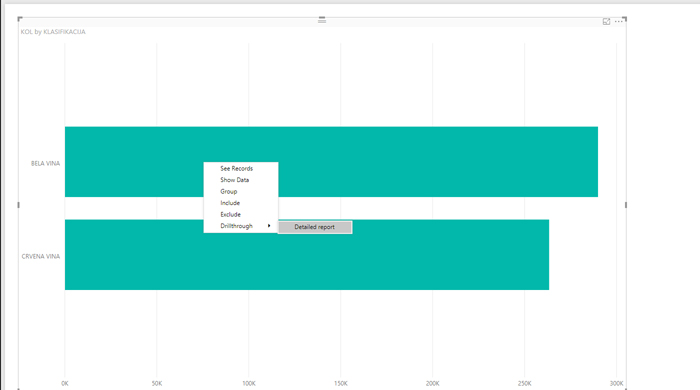
One of the Drillthrough options is the one called Keep all filters. If it is selected, the values of the filters we chose on the initial page are retained.