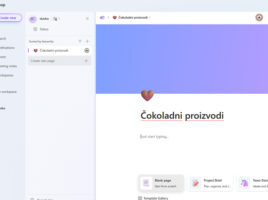
Microsoft Loop

Loop is  a web application within  the Microsoft 365 ecosystem designed to share ideas and collaborate on projects. For a long time, Word or Excel have provided the ability for multiple users to work on one document at the same time. Loop gives additional flexibility, such as sharing and collaboration from different applications. In this way, as soon as an idea is born, it can be written down, shared, commented on…

Collaboration on a document

Sharing and collaborating on documents in the OneDrive repository is not a new feature. Still, Office 2021 has taken it to a significantly higher level. Collaboration on a document is available in most Office applications, and in this “recipe” we will focus on Excel: how to share a document, how to see what your peers are doing, and how Sheet View works – a view of a document in which you see your own changes.

Welcome to MS Teams!

Microsoft Teams is a cloud service that allows you to connect employees within the organization to collaborate on joint projects, communicate through conversation or video calls, file sharing and more. Although it is a service that can be accessed via an Internet browser (Chrome, Edge, Safari), there is the possibility of downloading a Windows/Mac desktop application or an application for mobile platforms (Android, iOS).

Co-authoring in Excel

Newer versions of Excel no longer support the document sharing option I have written in one of the earlier texts. It can still be used after manually adding to the quick menu or toolbar, but collaborating on documents has evolved into co-authoring. This means that the documents are saved on the OneDrive repository, and that the right-hand users can change them at the same time.