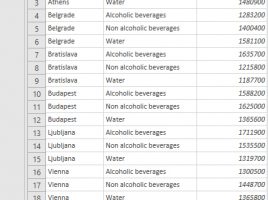
Group By option

Power Query has features that allow you to group and aggregate data in a similar way as when writing T-SQL structures, without writing a single line of code. Therefore, the process is much faster and easier. Grouping can be done by one or more report dimensions, and the order is determined in a similar manner as when sorting. Also, multiple data aggregation functions are supported as well as possibility of multiple aggregation…

Combining files

Power Query gives us the ability to combine multiple files which belong to one folder. These can be TXT or CSV files, but in practice we will usually combine several Excel files. This is a very powerful option that can save us a lot of time. At the same time, it brings with it some challenges, which you will be able to learn more about in the following text …

Combining tables

One of the phases of the project for the implementation of ERP information systems is retrieving data. These can be master data (partners, contacts, pricelists, etc.) or financial data. Most of them are retrieved from the company’s old information system, which is often exported as TXT or CSV files. Excel has a mechanism for retrieving entire files and manipulating data, which will be discussed in the text that follows …

Appending queries

Often it happens that different groups of executors fill in the tables that have the same structure, and differ only in the data they contain. Sometimes it is necessary to merge more of such tables into one, and Power Query is the ideal tool for performing such job. Let’s see how we can add the contents of one table to another.

Merging queries

Power Query is indeed powerful Excel add-in that allows retreiving data from different locations, changing them and preparing for further processing. Data sets are retrieved by creating queries to the data source, and the result of each query is stored in a separate table. Sometimes it is necessary to merge the results of two queries. The following text will explain how this works.