Advanced filters

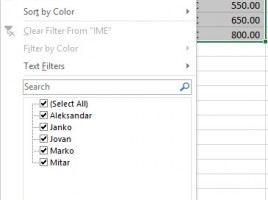
Advanced filtering is a technique that is used to narrow the data set in the table based on values ​​from another table. In this case, we can consider a second table as a filter containing one or more criteria, each assigned as a separate row in the table, where the values ​​in the columns are filter criteria. Once created advanced filters can also be used to filter multiple tables.

Using filters

Here’s a very useful option! Filters can allow you to easily view, sort and narrow large tables based on one or more of the given criteria. All this makes filtered tables the first choice for entering data about partners, contacts, or even creating a simple CRM system. Working with filters is easy and intuitive, they are swiftly created and removed from the table. Read on, you will going to like this!

Sorting data

When we enter data in a table, we often need to edit them in a ascending or descending order. In other words, sorting them. Excel offers quick sorting, according to the content of the first column in the table, as well as advanced sorting where it is possible to set several criteria and select multiple sorting methods. The following text will detail the sorting of data, and I’m sure you will learn something new.

Using themes

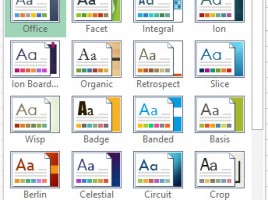
Subject of one of the previous posts was using styles in Excel. Themes can be viewed as their upgrade that allows us to define color palettes, fonts and effects. The most useful is, I think, the ability to change color palettes. This option allows you to adjust completely different colors than usual in the color or font colors of the font formatting menus. Let’s explain how this is done.

Change of comment’s appearance

Comments are graphic objects and therefore we can change their appearance. Why should we do it? Perhaps to be original, that the reports we made look different from the others? In this case, we can change the form of comments. And then, we can change the style of the text in the comment or the color of its background. Let’s show you how to comment with certain comments on certain parts of the report!