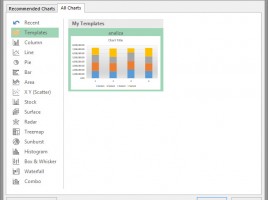
Chart templates

Companies often strive to unify their reports using predefined rules regarding choosing font types, color styles and other formatting modes. The unified look is introduced using Templates, and when we want to create charts, we will use chart templates. In addition to appearance, standard charts also introduce standard data ranges in axes, which contributes to the accuracy of the report.

Design of a structured table

After we have created a structured table it would be nice to take some time to change its appearance. Excel has a large number of predefined styles, which allow us to change the way this table is displayed, and there are many other options that can be used to format individual parts of a structured table. Before we start to fill in the data table, let’s make it a better looking!

Structured tables

All the tables we make have some structure. However, in order to connect with external data sources, Excel requires the structure of the table to be strictly formal. The structured table (Table) represents the named range with a clearly defined header and an applied autofilter. In addition to facilitating connection with other data sources, structured tables allow easy addition of new columns and formulas based on their names …

Calculating subtotals

When making extensive reports, there is often a need to calculate subtotals by reporting categories. Subtotals are, most of the time, sums and they might also be an average, a minimum, a maximum, a product, or a count of articles within a report. Subtotals can be made manually and in this „recipe“ it will be about how to use Excel for automatically adding subtotals.

Grouping of rows and columns

When we work with large tables containing the subtotals according to categories (article classification, sales program, type of partner, etc.), we can perform a grouping by to one of the given criteria. Grouping can be done by rows or columns, and the goal is to make the report more transparent. That is, if necessary, we can display or hide the analytical elements of the report in order for the data to take up less space.