Decorating the Christmas tree

There is a time of Christmas holidays, the time when everybody, more or less, decorates the Christmas tree, and this served as an inspiration for the text on the application of one more type of Excel chart. It is a subtype of the Scatter called Bubble and by which we can get a “XY” chart whereby a multicolored “balls” are found on the section. To create this diagram all we need are: a table of data, a picture of the Christmas tree and a little work in Excel!

Creating screenshots

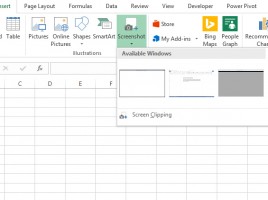
Each one of you, who was in the situation of writing a user manual, certainly used one of the options for capturing screen content. To remind you, by pressing the PrtScr or SHIFT + PrtScr (shortcut from the Print Screen) key, the full screen image is transferred to the computer’s memory. Pressing Alt + PrtScr camptures only the contents of the active window. Some recent versions of Excel have an option that allows you to capture screen content.

Worksheet background

When we make reports, the goal is for them to be both functional and beautiful. Their background can also contribute to the appearance of the worksheet in a positive way. It is a picture that is placed behind the tables, charts, and other elements of the report. If after hiding it, we also hide lines separating cells (Gridlines) reports will look like they were not created in Excel. But, more importantly, users will be able to easily find the necessary information.

Picturesque charts

o far, in several “recipes,” you can find out how to create and beautify the charts. This one will be about how to combine charts and images. First, in the case of a simple column column, you will see how to replace the columns with the image. Then we will add the picture as a background. Although it will not be about new features here, using some tricks will help you to make your reports more beautiful.

Scatter chart

When I was in school, and learning about Cartesian (Descartes’s) coordinate system I must admit I liked it a lot! I was in love with the idea that in the intersection of x and y axes, dots can be drawn, and then they connect to the line and show some trend. It’s been a long time since than, and in the honor of legendary Rene Descartes I’ll be creating a recipe about scatter charts.