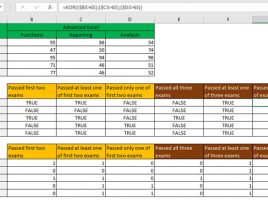
Student performance analysis

With the exception of the IF function, Excel has multitude of logical functions that are often unfairly neglected. The AND, OR, and XOR functions are also used to test the one or more conditions. The first returns TRUE if all conditions are met, the second if at least one of the conditions is met, and the third is used to examine cases where at least one but not all conditions are met. These functions can be used to analyze student performance on exams.

Series overlap

When analyzing sales, we will often come across data series that would be convenient to display using a Stacked Column or Stacked Bar chart, but due to their nature this is not a good solution. For example, if we have a production cost and a sales price, we need to calculate the price difference in order to show the production price and the price difference as two complementary series on the chart; their sum is, it is easy to see, the sales price. Can we create such chart without additional calculation?

Filtering by date

The FILTER function can also contain multiple criteria, and if we want to consider them all at the same time, they must be in parentheses, separated by an asterisk. This is a convenient way to filter sales results by date, and set the criterion by changing the year and month values ​​from the drop-down list we have created by using Data Validation option.

Multiple aggregation criteria

A very rugged title, isn’t it? When you use multi-conditional data aggeregation functions like SUMIFS, AVERAGEIFS, COUNTIFS, etc. there may be multiple values ​​from one column that you want to consider. This is accomplished by listing these values ​​in curly brackets and then summing all the results. Here’s a quick guide to how to use multiple values ​​for a one criterion.

Dynamic categories

One of the earlier “recipes” mentioned categories and subcategories. If you remember, we wanted to make it possible to automatically create a list with a selection of subcategories by selecting a category from the list generated with Data Validation. We could have done this by applying a few tricks, but the list, in addition to the necessary values, contained “empty slots”. This can be easily avoided today with the help of dynamic arrays.