How Copilot changes your document?

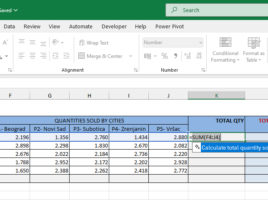
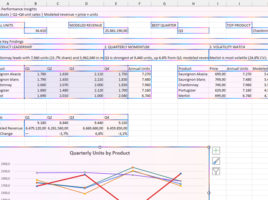
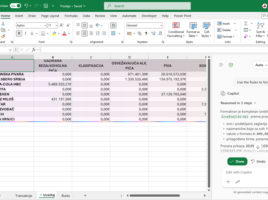
You can start Copilot in Excel by clicking on the icon located in the lower right corner of the window. After that, on the right side of the screen, the Copilot panel will open. In it, you can chat with this AI assistant, but also engage it to make various changes to the document you are working on. This “recipe” will talk about the available modes of operation and the ways in which Copilot can affect your Excel reports.

Data Cleanup

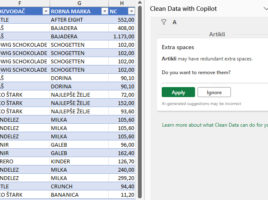
Clean Data is an AI feature in Excel that automatically finds inconsistent data and suggests error corrections. It works with data tables and usually, within their columns, finds excess spaces, uneven use of lowercase and uppercase characters, non-conforming formats, blank values, duplicates, errors… This option sometimes runs automatically, immediately after opening the document, and you can also run it manually…

Text import functions

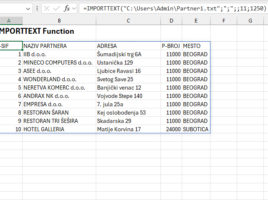
Until now we used Text Import Wizard to import text, and nowadays we can achieve the same result, whether it’s TXT or CSV files, with two new functions: IMPORTTEXT and IMPORTCSV. These functions are very similar: the first one offers more features, while the second is intended exclusively for importing from CSV files. Both functions return a dynamic array, are easy to use, and can make it much easier to import data.

Creating a name from selection

When you create formulas in Excel, you can refer to cell addresses, and you can also name cells or ranges by using the Name Manager to create the appropriate names. Can names be created automatically? Yes they can! After selecting a range, and giving a criterion in the Create from Selection option, you can create names automatically…

Formatting dynamic results

Since 2018, Excel has undergone one of the biggest transformations in its history with the introduction of functions for working with dynamic arrays. Unlike traditional functions that return a single value, these functions can generate entire tables as a result. Because these tables are dynamic, any change to the data in the source is automatically reflected in the displayed result. How to format dynamic results?