How Copilot changes your document?
You can start Copilot in Excel by clicking on the icon located in the lower right corner of the window. After that, on the right side of the screen, the Copilot panel will open. In it, you can chat with this AI assistant, but also engage it to make various changes to the document you are working on. This “recipe” will talk about the available modes of operation and the ways in which Copilot can affect your Excel reports.
Copilot, as of recently, supports three different modes of working with Excel documents:
- Chat – this is a way of interaction that you must have used so far, and it refers to chatting with Copilot. The user asks questions, and the AI assistant gives answers, performs calculations and analyses, provides suggestions… This method is also available to users who do not own the paid version of Copilot.
- Plan – In this mode, Copilot, for a given task, first creates a plan of steps to be performed, and only after approval does it start to be implemented.
- Edit (Allow editing)– Copilot, after a given request, directly affects the content of the document. This is a very powerful way of working, but it can potentially lead to unwanted results. Therefore, be sure to turn on the option to automatically save documents.
Let’s see how this works in practice, and the focus will be on two new modes. Let’s start with a table showing the sales of several types of wine in four quarters of one year. To start, you need to select the mode of operation. The Allow editing option, if selected, gives Copilot the authority to automatically change the content of your report. By selecting the Plan option, we start giving instructions before making changes in the worksheet, and the Chat option is only used to talk to Copilot.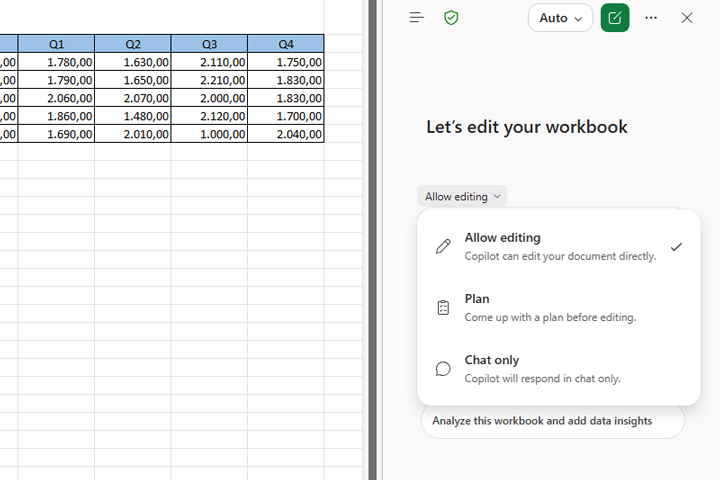
Let’s choose the mode of operation Plan, and then instead of writing a prompt, let’s click on one of the predefined ones:
Analyze this workbook and give data insights
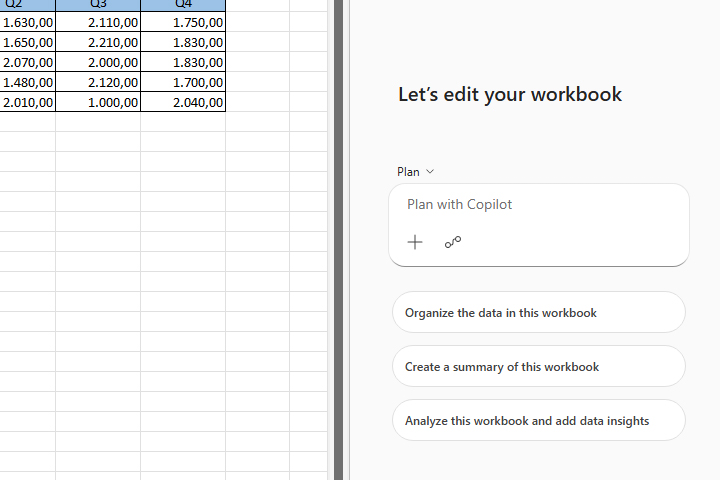
Copilot in Excel will create a prompt based on which the content will change. If you want, you can change it or give some new instructions. If you think the prompt is OK, click on the action to start it.
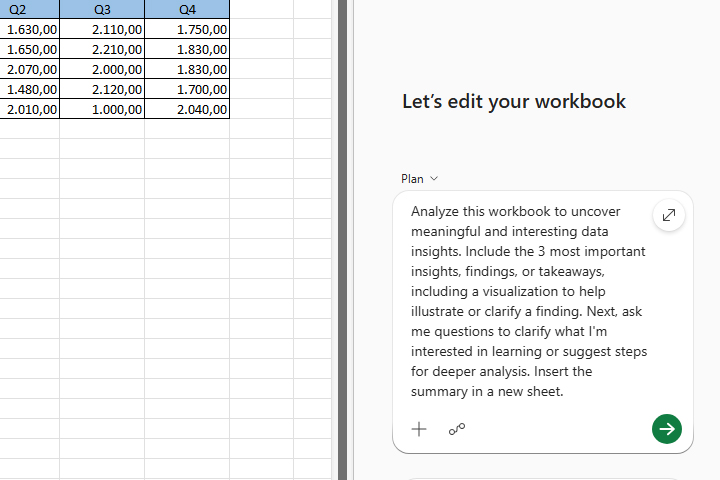
Copilot will make the planned changes and document all of its actions. Eventually, it will ask you sub-questions as part of this process. Note that if you are asking questions in a language other than English, it will need additional time to translate your query. By choosing an adequate GPT model, you can speed up the process or make Copilot take more details into account in the course of its work.
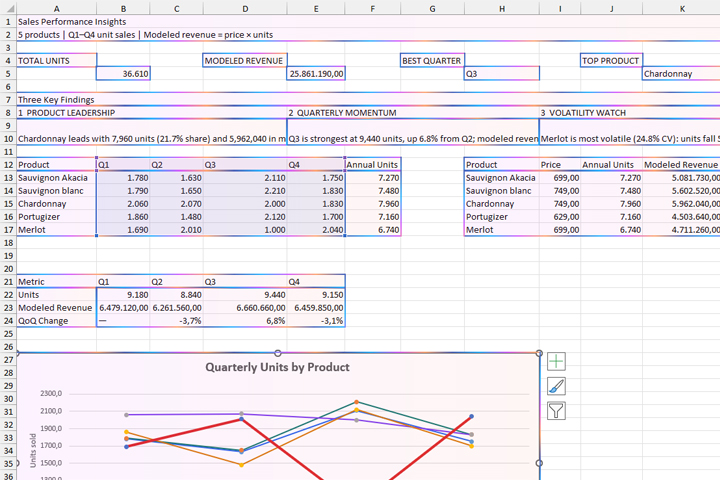
The result is a report in which Copilot conducted a detailed analysis of sales with advice on what you need to do to improve it.