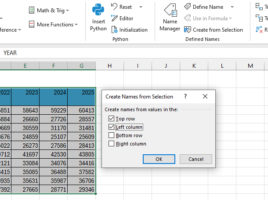
Creating a name from selection

When you create formulas in Excel, you can refer to cell addresses, and you can also name cells or ranges by using the Name Manager to create the appropriate names. Can names be created automatically? Yes they can! After selecting a range, and giving a criterion in the Create from Selection option, you can create names automatically…

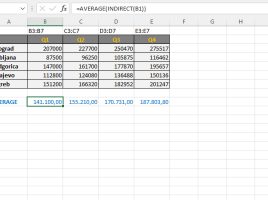
Moving Average

The moving average is a statistical method by which we track the average change in data over time. We can use it to calculate the trend of data change. Although it already exists within the trendline and can be applied automatically, in the following text you will learn how to calculate it manually, and you will better understand this method and know when and how to apply it.

Formulas parameters

One of the earlier “recipes” was about the INDIRECT function. It serves to forward a range as a parameter of SUM, AVERAGE, MAX, MIN or, for example, some other aggregation function. A range is defined as string that is contained in another cell. Let’s show, in one simple example, how this works.

Excel functions in VBA

The VBA language can use two types of functions: those inherent to it and functions that already exist in Excel. Although VBA has a large number of functions in Excel there are even more of them. And since we don’t want,  as the saying goes, to „invent the hot water“ it’s often better to use one of the existing functions to finish the job. This is accomplished using the Application.WorksheetFunction method that allows us to call any available Excel function.

Chart analytics

Right below the menu with visualization tools there is a set of three icons that allows us to enter one of the three menus that will be shown at the bottom of this panel. They are called Fields, Formats, and Analytics. First shows all the fields that affect appearance of a visual, second has options for its formatting and the third contains functionalities by which we can improve the chart: trend line, constant, minimum, maximum, average and forecast …