
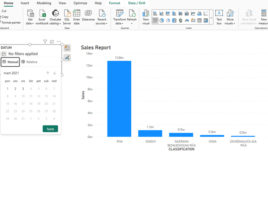
Date Picker in slicers
Slicers are graphical objects that we can use to filter data on a Power BI report page. When we use the dates to create slicers, then we create the so-called Timeline slicer. Until now, we were able to manually select a date range to filter the data in the report, and recently it is possible to run a Date Picker control in order to chose a date within a slicer.
