
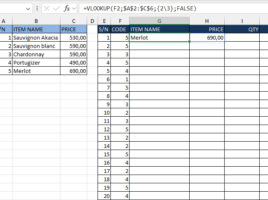
Lists as function arguments
Excel has recently made it easier to work with formulas that use arrays and constants – you no longer have to save them by pressing CTRL+SHIFT+ENTER! We can now use lists of values, given in curly brackets, as function arguments. This is great news, and the possibilities are manifold. In the following post, you will be able to see the real application of this feature…
