Inventory

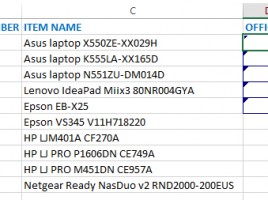
Inventory is necessary but always dull (whatever kind of inventory you do). Since some time ago and I was a member of the Inventory Commission, this experience has served as an inspiration to write an article about a good way of using collaboration tools in Excel (Shared tables) to facilitate inventory process. This is also a good way to use Windows tablets that your company have bought. Most of the time they are only used for show off, and now they could have a real purpose.

Document templates

Excel has been here for more than 20 years. Although it can not be said that in its world “there is nothing new in the sky,” numerous problems that have been encountered by the rich Excel community, since its inception, have long been solved, and solutions can be downloaded from the Internet in the form of templates. In this text, we will say a word-two on how to find the right template for generating a document that solves the problem.

Importing a table from the Internet

Importing a table from the Internet is a useful Excel option that came at the wrong time. Sometimes, when web designers created pages using the TABLE structure, the tabular data was in the tables (where they should be). Today, the approach to making web sites has changed, so DIV tags are used to display tabular data, which for some reason can not be recognized by Excel. Hence this option has limited application capability.

Interactive filters

Filtering the Pivot table report can also be done with the help of interactive filters, which are: slicers timeline. These are graphics objects that can be used, both with Pivot tables and structured tables. Slicers are made on the basis of the specified reporting dimension, and can be interlinked, according to the principle of subordinates and superiors. Timeline filters are made exclusively based on time-related reporting dimensions.

Creating Pivot tables

Pivot tables (Pivot table reports) are a tool for creating interactive reports based on the range of selected data or structured tables. Columns from source tables are used as reporting dimensions by aggregation of data (measures) or using them to analyze in rows, columns, as filters (dimensions) … Once made, the Pivot tables are easily changed by adding or removing dimensions, giving us more different look at the unique original dataset.