Even newer slicers

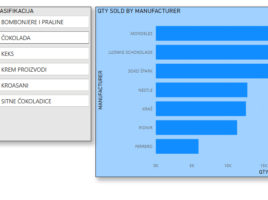
If you want to allow the user to filter a report or one of its parts, you can do so by adding a Slicer visual. Traditional slicers are just fine, New Slicer visual has brought some additional improvements, and recently three new, similar visualizations have appeared, which can improve the quality of your reports. Let’s see what it’s all about.

Enhance PowerBI reports

Programmers usually don’t care too much for report’s look, whilst those who watch the reports equally care for their clarity and appearance (correctness is assumed). PowerBI possesses several tools that can be used for enhancing reports. In my opinion it can still be much better. Nevertheless, from version to version PowerBI development team is adding new functionalities and now it is quite better comparing its beginning.

Drawing borders

This is, I must admit, a very fun option and totally different from what you get used to when working with Excel. On the other hand, if you are not skilled in formatting the table framework, it can help you to draw the tables in which you will enter the data. This option has not always been in Excel, so I believe that many experienced users do not know that it exists. Below you will find out more about drawing the framework of the table.

Formatting in service of reporting

In several previous posts I wrote about the formatting of the contents of the cell. In addition to the standard ways of displaying its content, users can also define custom views. User-defined formats can be greatly used to enrich the appearance of the report. Using them, we achieve effects similar to the conditional formatting technique, and we can easily copy them or use them to create formatting styles.

Custom formats

When formatting the content of a cell, one of the items that we can set up is the way the content of the cell is displayed. Since the options for creating such formats are in the Number tab of the Format Cells dialog box, the settings to be addressed are often called “formatting the number”. Although the content of a cell does not have to be a number. It can also be text, date, time or other information. Have you ever wondered: how to create custom formats?