Excel Copilot: Rules and Skills

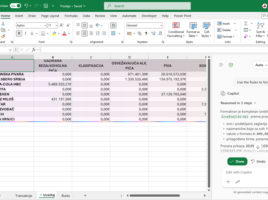
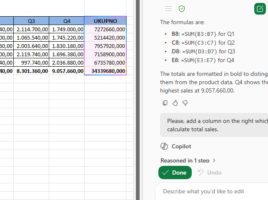
In order for Microsoft Copilot to  work faster in Excel and provide results that are more in line with user expectations, it is now possible to define a set of rules that Copilot will  apply when creating calculations, formatting tables and charts, as well as other tasks. This is where Rules comes in, a new feature that allows you to standardize the way Copilot processes and displays data. Combined with Skills, which expand its capabilities, Excel reporting becomes more accurate and efficient.
Copilot floating menu

Recently, in the lower right corner of every Excel or other Office document, you can notice a new floating icon that allows direct access to the Copilot application. When you hover the cursor over it, a context menu with several useful options automatically opens, while clicking on the icon or pressing the F6 key, on the right side of  the Excel window, opens a panel that allows direct correspondence with Microsoft Copilot.

Copilot in Excel documents

More recently, Microsoft Copilot, an AI-based assistant, has become an integral part of Excel in all its versions. Now it can help you, in English or another language, analyze data, create charts, offer you the appropriate Excel function, or show you its syntax. To put a long story short, it can make your daily work much more productive!

How to write a good prompt?

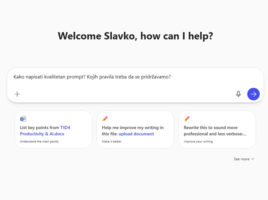
When creating queries to Microsoft Copilot, it’s important to be concise and clear. There are rules on how to write a quality prompt, and if you follow them, the likelihood of getting the desired response in fewer steps increases. However, keep in mind that artificial intelligence is not omnipotent or intelligent, but that it is a complex software that has access to a huge knowledge base, and it is up to you to extract the desired information.

Microsoft Copilot

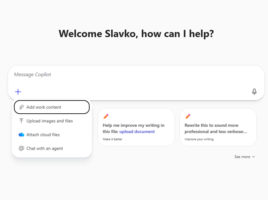
Microsoft Copilot is a digital assistant, based on artificial intelligence (AI), or large language models (LLMs), that understands human language and can provide answers to questions: give explanations, write texts, generate images, etc. It can be used independently, within a web browser, and is also integrated into applications and services that are part of the Microsoft 365 package, such as: Word, Excel, PowerPoint, Outlook…