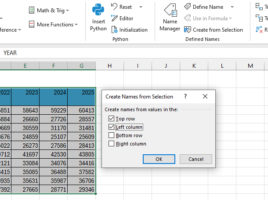
Creating a name from selection

When you create formulas in Excel, you can refer to cell addresses, and you can also name cells or ranges by using the Name Manager to create the appropriate names. Can names be created automatically? Yes they can! After selecting a range, and giving a criterion in the Create from Selection option, you can create names automatically…

BYROW and BYCOL functions

The BYROW and BYCOL functions are used to perform a calculation given by a LAMBDA function that uses only one argument for a given row or column. This, in a way, distinguishes them from the function mentioned in the previous post. Both functions work in a similar way. They differ only in whether they retrieve the data needed for the calculation from the row or column.

Calculating subtotals

When making extensive reports, there is often a need to calculate subtotals by reporting categories. Subtotals are, most of the time, sums and they might also be an average, a minimum, a maximum, a product, or a count of articles within a report. Subtotals can be made manually and in this „recipe“ it will be about how to use Excel for automatically adding subtotals.

Functions for data aggregation

Aggregation is a term that signifies unification and calculation. It combines one or more data sets, which are given as function arguments, for performing a mathematical operation. This may be: summing up a series of data, counting, averaging, calculating the minimum or maximum value of a given set of numbers… Aggregate functions are very commonly used and should know them well.