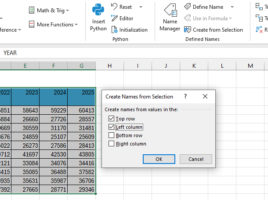
Creating a name from selection

When you create formulas in Excel, you can refer to cell addresses, and you can also name cells or ranges by using the Name Manager to create the appropriate names. Can names be created automatically? Yes they can! After selecting a range, and giving a criterion in the Create from Selection option, you can create names automatically…

Dynamic lists

So far, you have been able to read several “recipes” on this blog which were about Data Validation and lists. Office365 (Microsoft365) subscription users have access to dynamic array functions that easily handle variable-length lists. But what should users with an older version of Excel do? In the text that follows, you will learn how to solve this problem with the help of the named ranges, OFFSET and COUNTA functions.