Search by part of the name

Many years ago I worked for ECOFINANCE company where, at my time, I wrote an Excel invoicing application. It seems to me that it was quite easy to use. Partly because it was enough to enter part of the name of the code or product to find the desired item. The seller would then only select the quantity and packaging and could quickly continue to enter items until the document is completed. Today this can be achieved much easier, without any VBA programming …

Filtering by date

The FILTER function can also contain multiple criteria, and if we want to consider them all at the same time, they must be in parentheses, separated by an asterisk. This is a convenient way to filter sales results by date, and set the criterion by changing the year and month values ​​from the drop-down list we have created by using Data Validation option.

Dynamic categories

One of the earlier “recipes” mentioned categories and subcategories. If you remember, we wanted to make it possible to automatically create a list with a selection of subcategories by selecting a category from the list generated with Data Validation. We could have done this by applying a few tricks, but the list, in addition to the necessary values, contained “empty slots”. This can be easily avoided today with the help of dynamic arrays.

XMATCH function

The XMATCH function is a more modern version of the MATCH function, and is used to search arrays, by row or column, to find the position of a given value. It supports accurate and approximate comparisons, and wildcard characters can be used as a substitute for one (?) or more characters (*) during search. This is another of the new dynamic array features that is available exclusively to Office 365 subscribers as of February this year.

XLOOKUP function

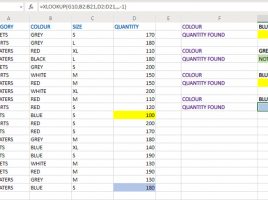
Any more experienced user often uses the VLOOKUP function and is aware of its features and drawbacks. Therefore, the XLOOKUP function was created which can replace the VLOOKUP, HLOOKUP and LOOKUP functions. It also supports wildcard characters used to replace multiple (*) or single character (?) which makes it very flexible and probably your choice for some future spreadsheet calculations.