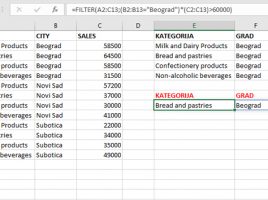
Filter FUNCTION

For some time now, Microsoft “evangelists” have been talking about about new Excel functions that make it possible to work with dynamic arrays. What is it about? Excel is enriched with a group of functions that provide dynamic content filtering. Since they finally became an integral part of Office 365 Excel in February this year, the following few “recipes” will, through simple examples, show you the new features they bring.

Updated ribbons

Power BI Desktop got updated ribbons! The new, modern design, simplifies operation significantly because options are better grouped and easier to find. It is very similar to the one we encountered in Office365 applications and appeared as one of the preview features in November 2019. From April 2020, this should become the default look of the Power BI Desktop development environment, let’s see what new it brings.

Geography & Stocks

Excel has not changed essentially from its origin, and one of its features is that it does not have data types other than text and numbers. All other (derived) types are only differently formatted numbers. In this respect, Excel 2019 (O365) brings two new types: Stocks and Geography. Since it is unlikely that any of you will be trading on stock exchange, this “recipe” will most of the time deal with geographical data and their application.

Commenting on shared documents

Comments in Excel are not new option. Nevertheless, from the version to the version, there was more and more work to improve the possibility of collaborative work on the documents. Consequently, Excel has a new type of comment. They refer to commenting on shared documents, which in most cases are on the OneDrive repository, and you can view them in a simple way: by clicking the Comments button in the upper right corner of the window.

Doodling over the document

Excel is increasingly being used on mobile devices. Although, due to their size, they are not the ideal solution for making reports, as they enable mobility, these computers or tablet devices are a great solution for the presentation of reports. Recently Excel got a group of options, integrated in the Draw ribbon, which allow you to doodle over report and leave comments, just like you would do with the pencil.