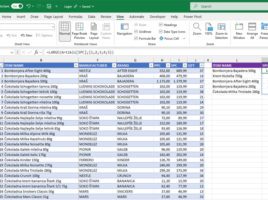
The Top N items

If you want to single out those with the highest or lowest price from the list of items, the simplest way is to turn on the Autofilter option, and then apply the Top 10 numerical filter over the column where prices are stored. There is another, equally accessible way – with the aid of the LARGE and SMALL functions, which you can use to identify the ranking of an item based on the sale price. Add to this dynamic filters and the process will be even simpler.

Multiple search results

It is common knowledge that the VLOOKUP function cannot return results that are “to the left” of a given range, and this problem is solved by XLOOKUP, which additionally allows you to search the range from the beginning or from the end. However, what if these functions need to return more results? To do this, you used to need to use array formulas, but today this is performed in a much easier way…

Regular expressions

Regular expressions are a programming term that refers to a sequence of characters used to define a search criterion within a given text. Recently, Excel has gained several functions for working with regular expressions, and we can also use them as an argument to the XMATCH function and the XLOOKUP function as an additional search criterion.

Displaying details

Power BI visualizations often have a Tooltip section with which is a feature that enables focus on specific attributes. For example, if you hover an item shown in the report, you can see information about the manufacturer, number of brands, average price, etc. Something like this does not exist in Excel, but if we can mark items in some way, it is possible, with a little improvisation,  affect the display of attributes. To do this, we will use the Checkbox option…

What is your horoscope sign?

Here’s a fun topic! At the same time, this is a good opportunity to practice working with the LOOKUP function. Although, these days, people are talking much more about the XLOOKUP function I don’t see why, in this situation, we wouldn’t use its “older cousin”. Task: determine the zodiac sign of the person whose birthday is on the given date. This is achieved by searching the table that contains the range of dates that determine zodiac signs.