
Copilot Formula Suggestions
Microsoft Copilot has brought several innovations in working with Excel, and one of them is the Copilot Formula Suggestions feature. This option makes it easier to create formulas by having Copilot proactively suggest next steps, recommend appropriate formulas based on data and context, and can even automatically complete the formula instead of the user. This speeds up work and reduces the possibility of errors when writing more complex formulas.
This option will work for you if you have a paid version of Microsoft Copilot and if the document you are working with is stored in OneDrive or SharePoint repository. Also, this option should be enabled within the Copilot settings in Excel options…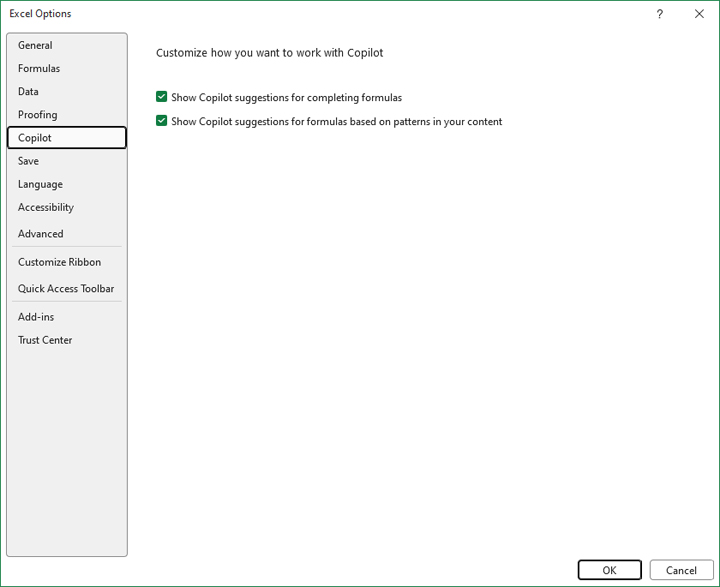
Let’s start with a simple example where we calculate the difference in price, the sum of quantities sold, and revenue. If we set out to enter the formula in cell E4, by typing the “=” sign on the keyboard, Copilot will analyze the table, give suggestions on how the formula should look like, and instruct us to confirm or reject the formula entry. Notice, based on the values he found in the table, he independently concluded that he should calculate the difference in price.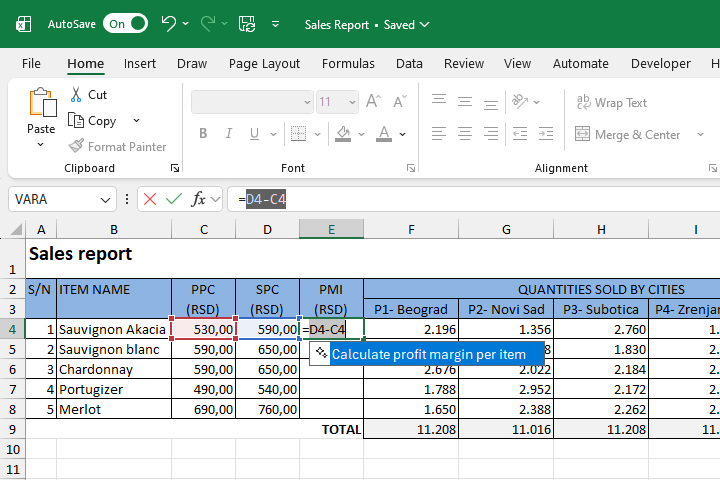
We will continue the calculation by calculating the total quantities sold…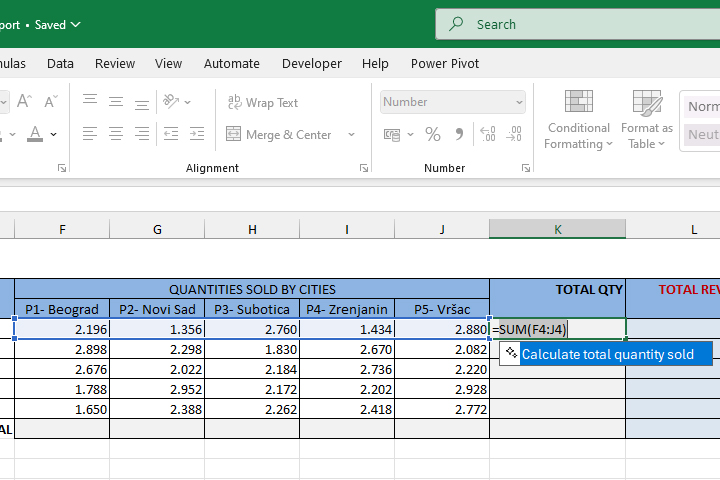
If you start calculating revenues, you will see that Copilot will understand the context, and that it will multiply the total quantities by the price. A similar thing happens when we calculate totals by columns.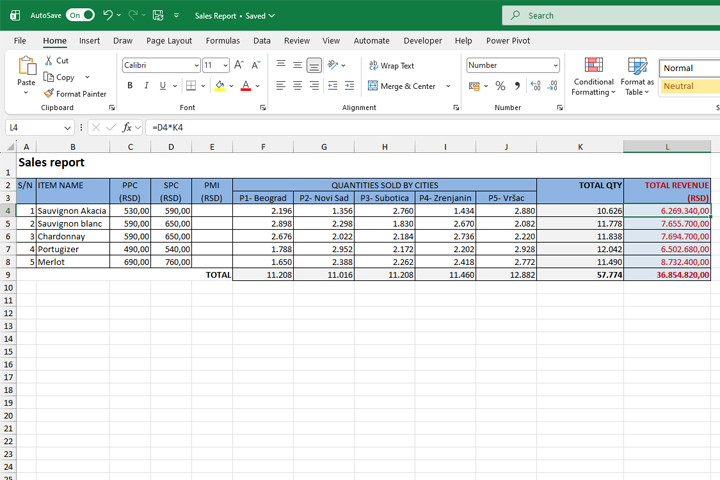
The Copilot Formula Suggestions option helps users create formulas faster and easier to perform various calculations and process text data. In addition to simple expressions, it can also suggest more complex formulas based on advanced Excel functions, thus significantly speeding up work and contributing to greater productivity.