Conditional formatting with DAX

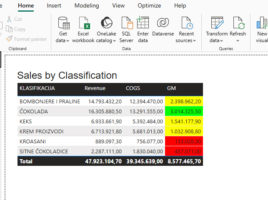
When you define conditional formatting within a visual, there are several options available to you. You can apply a color gradient that formats the display from the lowest to the highest value, define formatting rules based on specified conditions, or use your own DAX formula to specify formatting conditions. In this article, you’ll learn how to apply conditional formatting by using DAX to achieve greater flexibility and control over how your report looks.
Localization of Power BI reports

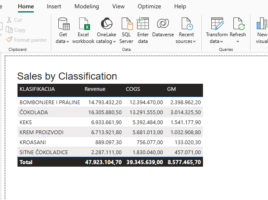
Power BI Desktop uses the currently active language settings (Settings/General/Language) when creating reports. If the report will be available to users who speak different languages, it is possible to implement multilingual support by defining appropriate translations. For visual titles and other key report elements, DAX formulas can be applied that use the USERCULTURE() function to automatically display content in the user’s language.

Forecast of future trends

To forecast future trends, you can use the Excel  Forecast Sheet option – it’s the fastest and easiest way to see what’s going to happen in the future based on historical data. It uses the FORECAST.ETS  function which, in addition to calculating the trend, can also fill in the missing data or recognize the seasonality of the data, and it also uses the FORECAST.ETS.CONFINT function to calculate the confidence interval. How to make a forecast manually?

Copilot floating menu

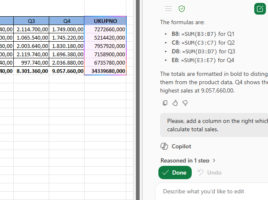
Recently, in the lower right corner of every Excel or other Office document, you can notice a new floating icon that allows direct access to the Copilot application. When you hover the cursor over it, a context menu with several useful options automatically opens, while clicking on the icon or pressing the F6 key, on the right side of  the Excel window, opens a panel that allows direct correspondence with Microsoft Copilot.

The first few rows

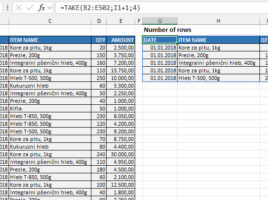
How to take the first few rows from a table? How do we make this a parameter that we can change? This feature can be useful when we simply want to retrieve the first few rows from a table, or when it contains e.g. some sales data, we can sort them in descending order by the column that contains the sales value, and then we extract  the Top 5 items.