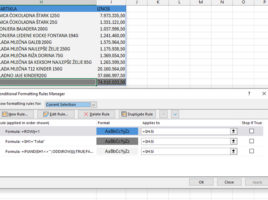
Formatting dynamic results

Since 2018, Excel has undergone one of the biggest transformations in its history with the introduction of functions for working with dynamic arrays. Unlike traditional functions that return a single value, these functions can generate entire tables as a result. Because these tables are dynamic, any change to the data in the source is automatically reflected in the displayed result. How to format dynamic results?
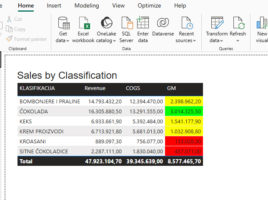
Conditional formatting with DAX

When you define conditional formatting within a visual, there are several options available to you. You can apply a color gradient that formats the display from the lowest to the highest value, define formatting rules based on specified conditions, or use your own DAX formula to specify formatting conditions. In this article, you’ll learn how to apply conditional formatting by using DAX to achieve greater flexibility and control over how your report looks.

Marking the best-selling item

When we create a column chart to visualize data, the columns are often of different heights. We evaluate where the best sales were achieved visually or add data labels and then make the conclusion based on the appropriate numbers. Excel does not yet have conditional formatting for charts, but there’s a trick you can use to automatically determine the highest value in a series.

Highlighting found values

When working with large tables, it is often necessary to make their search easier. One of the ways to do this is by applying the option for conditional formatting, with which we can mark all rows in which a value corresponding to the given criteria was found. In the next “recipe” you will find out how to perform such task.

Conditional formatting of data labels

Data labels in charts are always useful because they implicitly show us the value of the series, without the need to look at the axis. However, in traditional charts, they are always formatted the same way; they are displayed in the same font size and style, the same color… Power BI Desktop recently got the option of conditional formatting of these values, which makes the reports much more vivid.