Text import functions

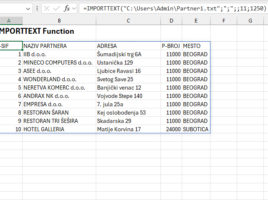
Until now we used Text Import Wizard to import text, and nowadays we can achieve the same result, whether it’s TXT or CSV files, with two new functions: IMPORTTEXT and IMPORTCSV. These functions are very similar: the first one offers more features, while the second is intended exclusively for importing from CSV files. Both functions return a dynamic array, are easy to use, and can make it much easier to import data.

Formatting dynamic results

Since 2018, Excel has undergone one of the biggest transformations in its history with the introduction of functions for working with dynamic arrays. Unlike traditional functions that return a single value, these functions can generate entire tables as a result. Because these tables are dynamic, any change to the data in the source is automatically reflected in the displayed result. How to format dynamic results?

Copilot floating menu

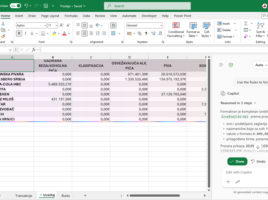
Recently, in the lower right corner of every Excel or other Office document, you can notice a new floating icon that allows direct access to the Copilot application. When you hover the cursor over it, a context menu with several useful options automatically opens, while clicking on the icon or pressing the F6 key, on the right side of  the Excel window, opens a panel that allows direct correspondence with Microsoft Copilot.

The first few rows

How to take the first few rows from a table? How do we make this a parameter that we can change? This feature can be useful when we simply want to retrieve the first few rows from a table, or when it contains e.g. some sales data, we can sort them in descending order by the column that contains the sales value, and then we extract  the Top 5 items.

What language do you speak?

The TRANSLATE function became part of Excel in July 2024, and recently we have another useful function that you can use to detect the language in which a text is written. It’s a new DETECTLANGUAGE function, and you can use it in conjunction with the TRANSLATE function.